Premium Services We Provide

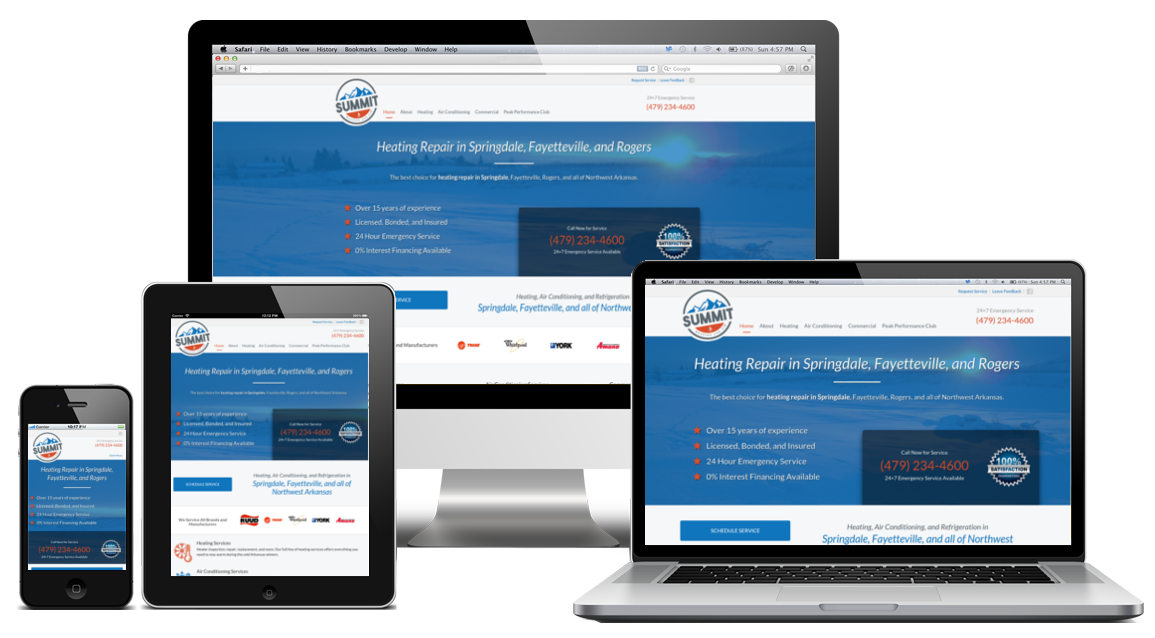
We create high quality, custom websites for businesses of all sizes. Our premium website designs will help you reach more customers, increase conversions, and grow profits.

Our mobile website experts can craft a website or online experience specifically tailored to the ever growing customer base that use their smartphones and tablets to get online.

We create business-focused web applications and programs to help automate business processes, optimize workflows, reduce human error, and more.
View Our Full Range of IT Services
How We Provide Value for Our Clients

We Analyze
Every project begins with a free consultation to thoroughly analyze the client's goals and needs. Analysis continues with the research of keywords, targeted demographics, market demand, competition, and more.

We Create
After a complete analysis, we begin to create a custom tailored solution designed to meet the client's goals. Throughout this process we solicit feedback from the client to ensure we're creating the perfect product.

We Deliver
Once the product is finished we deliver it to the client. This process includes any installation or setup, and testing to ensure proper operation. We strive to deliver on time and under budget, without compromising on quality.

We Support
Client satisfaction is our main goal. We stand by our work, and fully support everything we do. Every project comes with at least 30 days of support, maintenance, monitoring, or other applicable services after delivery.
What Our Clients are Saying
"PlasticBrain never fails to excel. The quality of their work is nothing below top notch. They're one of the agencies where you just say what you want and you are sure to get it." Goutham Vipparthi - Adsnik Media
Why Choose Us?
Availability
The number one complaint we hear is that contracted projects tend to start out great, but the company or person that was hired inevitably "flakes out" -- the work halts, and the person stops responding to emails, messages, or calls -- once they get paid, or sometimes before the project is even finished.
Our Promise
We build lasting relationships with our clients. Every client that we work with has a dedicated account manager they can call, email, text message, or IM.
We're always here when our clients need us, even after their project is finished. Every project comes with at least 30 days of support after the project is completed.


Dedication
Most agencies and contractors tend to do just enough work to get a project completed and get paid. They cut corners, forgo the finer details, and settle for work that is "good enough".
Our Promise
We never cut corners. We know that the smaller details add up, and can make a real difference in the outcome of a project. As such, we budget time in every project specifically for the details that other agencies overlook.
Value
Most agencies have one thing in mind: their bottom line. They overcharge, and underdeliver, and they try to upsell (oversell) customers on products or services they don’t truly need.
Our Promise
We help our clients focus on their bottom line (and top line, too!) We never upsell them; we only suggest and offer services they actually need, and that would be of value to them.


Transparency
Some agencies leave their clients in the dark. Clients may not know the status of their project, whether their project is still on schedule or under budget, or even the reasons why certain technologies were (or were not) chosen for their project.
Our Promise
Before work begins on a project, we have a consultation with the client to discuss their project in its entirety, including the technologies being used.
Clients receive regular updates about their project without having to ask.
If a client ever has any questions or concerns about their project they can speak directly with their account manager.